
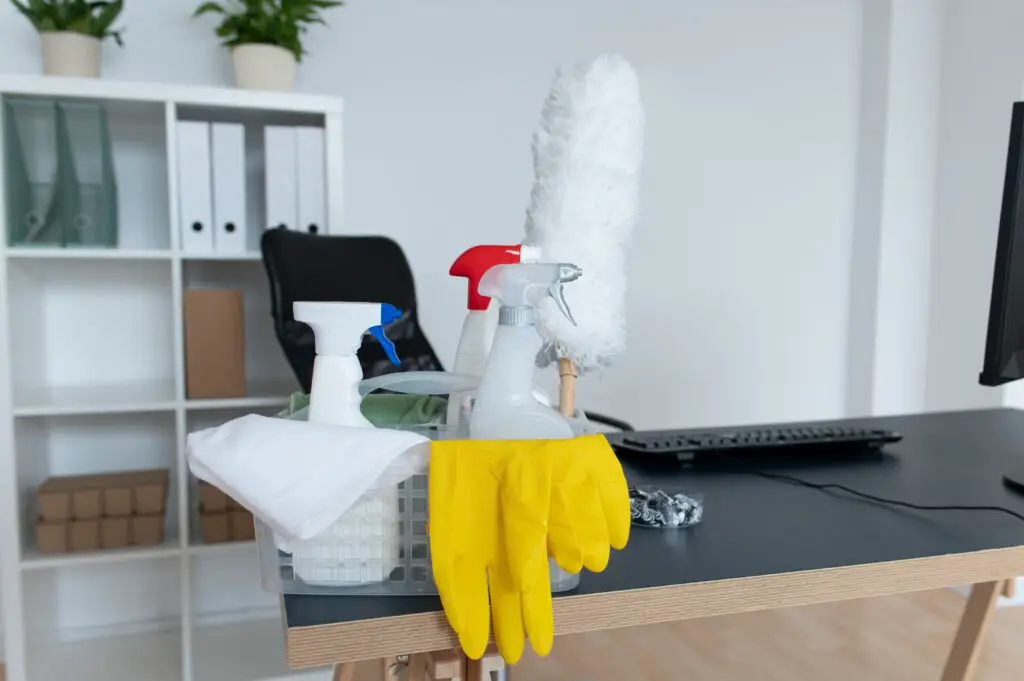
Your home office is a hub of activity, but it can also be a magnet for dust, germs, and clutter. A messy workspace can affect your focus and productivity, making it harder to get things done. This guide will provide you with a simple, step-by-step plan to clean and organize your home office, ensuring a healthier and more efficient environment.
Why a clean home office improves productivity
A clean office isn’t just about appearances. It has a direct impact on your work. A clutter-free space helps reduce stress and distractions, allowing you to concentrate on tasks. By regularly cleaning and sanitizing, you create a healthier environment, which can reduce sick days and boost overall well-being.
Step 1 – Dust surfaces, monitors, and keyboards
Start with the highest surfaces and work your way down. This ensures that any dust you dislodge falls to the floor, where it can be cleaned up later.
- Ceiling and Walls: Use a long-handled duster to clear cobwebs from corners and around light fixtures.
- Shelves and Surfaces: Use a microfiber cloth to dust all shelves, cabinets, and furniture. A damp cloth works best for trapping dust without spreading it around.
- Electronics: Gently wipe down your monitor and other devices with a dry, anti-static cloth. For keyboards, use a can of compressed air to blow out dust and crumbs between the keys.
Step 2 – Vacuum and mop floors around workstations
With the surfaces dusted, it’s time to tackle the floor, where dust and dirt have accumulated.
- Clear the Floor: Remove any loose items, like bags or power cords, that are on the floor.
- Vacuum Thoroughly: Use a vacuum cleaner with a crevice tool to get along baseboards and into corners. For carpets, use a brush head to agitate and lift embedded dirt.
- Mop Hard Floors: For hardwood, tile, or laminate floors, use a suitable floor cleaner and a mop to remove any grime. Make sure the floor is completely dry before returning furniture.
Step 3 – Organize documents and declutter workspace
An organized office is a productive office. This step is about creating a system that makes it easy to find what you need.
- Clear the Desk: Remove all items from your desk except for the essentials you use daily.
- Sort Paperwork: Go through all your documents. Create a “Shred” pile for sensitive papers you no longer need, and a “File” pile for important documents.
- Use Organizers: Utilize a desk organizer, file trays, and drawer dividers to give every item a designated home. This prevents clutter from building up again.
How to disinfect office equipment safely
Germs can accumulate on frequently touched surfaces. Disinfecting your equipment regularly is crucial for hygiene.
- Keyboard and Mouse: Use a disinfectant wipe (without excessive moisture) to clean the surfaces. Turn the items off before you start.
- Phone: Gently wipe down your phone’s screen and body with a disinfectant wipe.
- Headphones: Clean the earcups and headband with a wipe.
Weekly and monthly office cleaning routine
To maintain a clean and productive space, a simple routine is key.
- Weekly: Do a quick dusting of all surfaces, and give the floor a thorough vacuum. Take out any trash and put misplaced items back in their home.
- Monthly: Do a deeper clean, including wiping down baseboards, cleaning the inside of your desk drawers, and cleaning your monitor screen.
A clean home office is a significant step toward a more productive and stress-free workday. If you’re looking for professional help to get your space sparkling clean, contact Quality Cleaning Services today for a free quote.
